
Antinuke
Stop nuking attacks: mass bans, channel deletion, rogue bots and more.
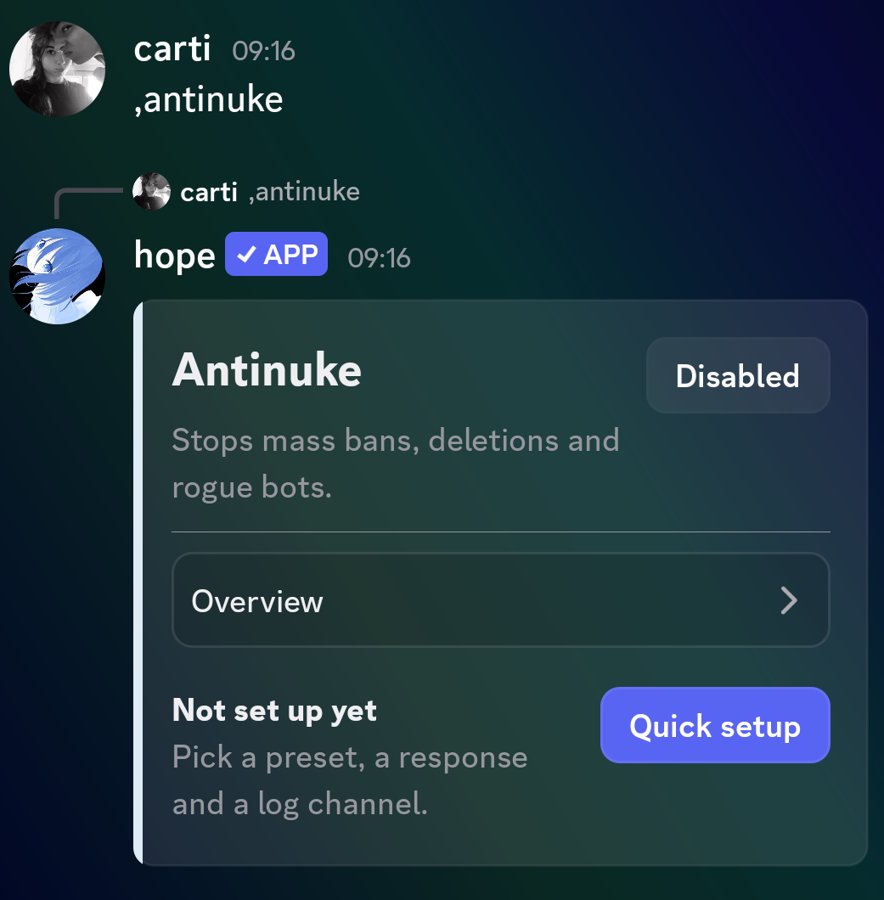
Antinuke watches for the actions a nuker or a compromised admin account uses to wreck a server, and responds immediately. Open the control panel with /antinuke (alias ,an).
Set it up
- Run
/antinuke. The panel opens with an Overview. - Open Protections and choose what to watch. See the list below.
- Open Response and pick a preset: Relaxed, Balanced or Strict. Then pick the punishment, such as kicking or stripping roles.
- Open Trusted and add the people and bots who are allowed to do these things.
- Optional: set an Alert channel and turn on Logs so you are told when something is stopped.
- Run
/antinuke onto switch it on, or/antinuke offto switch it off.
What it protects
- Channel deletion, channel edits and channel spam
- Role deletion, role spam and dangerous role edits
- Mass bans and mass kicks
- Server edits and emoji changes
- Webhook spam
- Unapproved bots being added
Who can change it
The panel has an Access tab. Only the server owner and extra owners can turn Antinuke on or off and change its settings. Everyone else sees an error. Add extra owners carefully: they can disable your protection.
AI Guard and security scan
The panel also includes an AI Guard option and a Security scan that checks your server for risky setups. Run the scan after you finish the rest of the security setup.
Antinuke can only act on roles and members below Paw's role. Move Paw's role up first, or protections will fail silently.